Markdown files have been used for years in software engineering teams. Recently I’ve been using them more frequently in other types of work – such as creative writing or interacting with GenAI tools and their output. Without having an IDE open, viewing and editing markdown is cumbersome at best. I looked at the available options, but adding a browser extension or paying for something to view/edit simple markdown files is not something I am going to do. That’s how HOB Markdown was born!
What is HOB Markdown? What are the Requirements?
No no no – we’re not drafting a functional requirements specification or a system requirements specification – lol. Even so, it is helpful to actually write down what you want to build and why. As always, the first questions are to define the “what’s”: What’s the user’s persona? What’s the use case? What are the acceptance requirements? What are the non-functional requirements? I’m usually the one asking these questions and not the person answering them. The basic concept: cheap, fast, lightweight, edit/view/save/print markdown files.
Persona:
A computer literate user, familiar with document editors and viewers, who wants to quickly open view, edit, save and print files to their local computing device or printer.
Use Case/User Story:
As a user I want to quickly open, edit, view, and print individual markdown files on my local computer so that I can read and edit them in an intuitive interface that is integrated into my local operating system (macOS). To ensure the experience is awesome I should be able to see the document full screen in either view/edit mode and also in split screen mode. Changes to the content should be visible immediately in the view mode without saving the file.
Acceptance Criteria:
- Must be integrated into macOS
- Must support all markdown standard and extended markup features
- Must support creating new files and editing existing files
- Must have an intuitive user interface that keeps clicking on menu items to a minimum
- Must have a view and edit mode that is full screen
- Must have a split screen mode that shows view and edit simultaneously
- Must have a side panel that allows the user to navigate sections by clicking on header icons and titles
- Must print a rendered markdown file
Non-Functional Requirements
- Support all computing platforms (macOS, Windows, Linux, Android, iOS), but optimized for macOS
- Lightweight, startup in less than 5 seconds, less than 50MB in overall size
- All UI functions must execute in 100msec or less
- Must be scanned with code quality and cybersecurity tools and show zero issues
- Architecture must conform to all best practices of the software framework being leveraged
- Solution will be compatible with Apache 2 OSS license and be released on github.com
Well that’s what I have for now, I’ll keep adding, but not to the point of making this article super boring.
Solution Architecture – Options and Decisions
Regular readers here can probably guess where this is going, but there are some decent options to consider: Swift, Java, JavaSscript has several good frameworks, and you may have guessed it: Flutter. I’m not building on Java. It cannot meet the non-functional requirements for speed and it is just too clunky to get a Java solution to be deeply integrated in macOS. Javascript is an option, but React Native will face challenges with the speed and size requirements. Electron is an option – but that also will have challenges with the size, speed, and probably memory consumption too.
That leaves Swift and Flutter. Swift will struggle with Linux. Apple will also pretty much require me to invest the $99 annual developer license to use Swift. Swift also requires me to use XCode and all the complexity of dealing with that. I’ve used XCode since the early days of Objective-C. Unless you are using it on a daily basis, it is a cumbersome and confusing tool to use. Flutter is free to use, hits all the platforms, can meet the size and performance metrics, and I can use a number of options for the IDE: IntelliJ IDEA Community, Android Studio, or MS VisualStudio Code.
So the decision is to go with Flutter. I will specify Material Design 3 as the user interface framework and design pattern. That will allow the app to be useful on other platforms too. Since this is a desktop app with no backend, that’s pretty much it in terms of architecture.
Building the Solution – Google Antigravity + Anthropic Claude
If you’re a regular reader, you will know that I’ve been working with Flutter and Dart for more than 4 years. I’m pretty comfortable with looking at the code and knowing good from bad. Using code generators seems like a good approach to get started. Google’s Antigravity (AG) is a great tool to get an app from idea to near-MVP (minimum viable product). It can take an idea, structure a plan, and send out the agents to do user interface design, graphics generation, test plans, and then generate all the code. So that’s how I approached the initial build.
I created a new project in Antigravity, and here’s my initial prompt for it to start working:
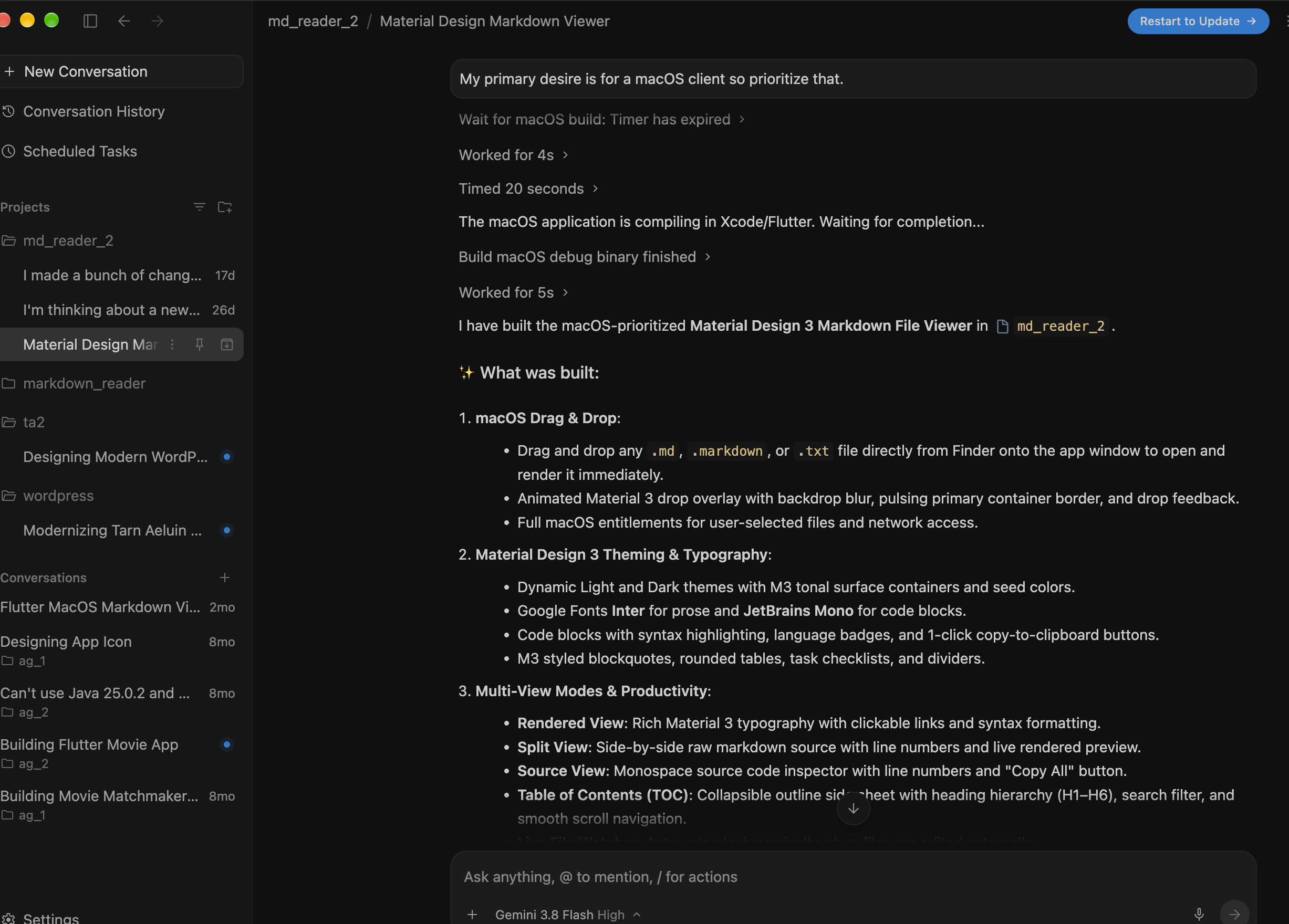
I want to build a markdown file viewer that shows markdown files in rendered text. It should have a drag and drop interface where I can drop a file into the viewer to open it. It should have views for raw markdown and rendered views. I would like to have a modern design based on the latest material design standards. Prioritize the functionality and look for macOS.
Antigravity’s agent chewed on that for a couple of minutes and then it started to build out various plans (implementation plan, test plan, etc.) and then built out an initial application.
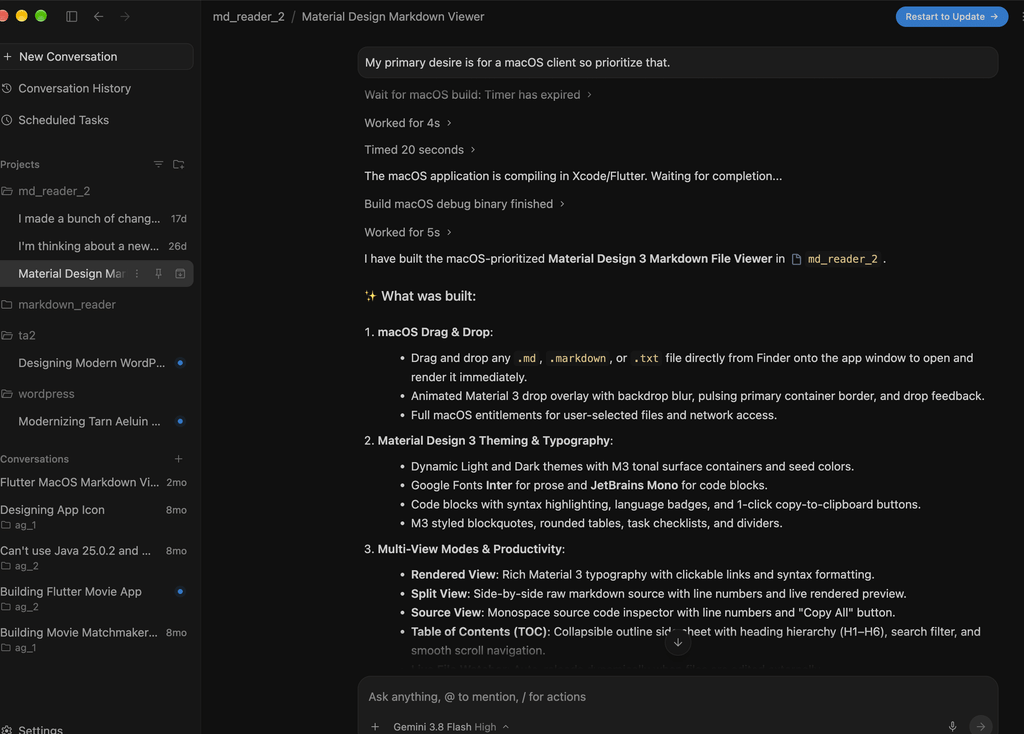
Antigravity also has a traditional IDE view of this, which is based on a fork of MS Visual Studio Code – nice because I use VSC all the time so it is quite familiar to me:
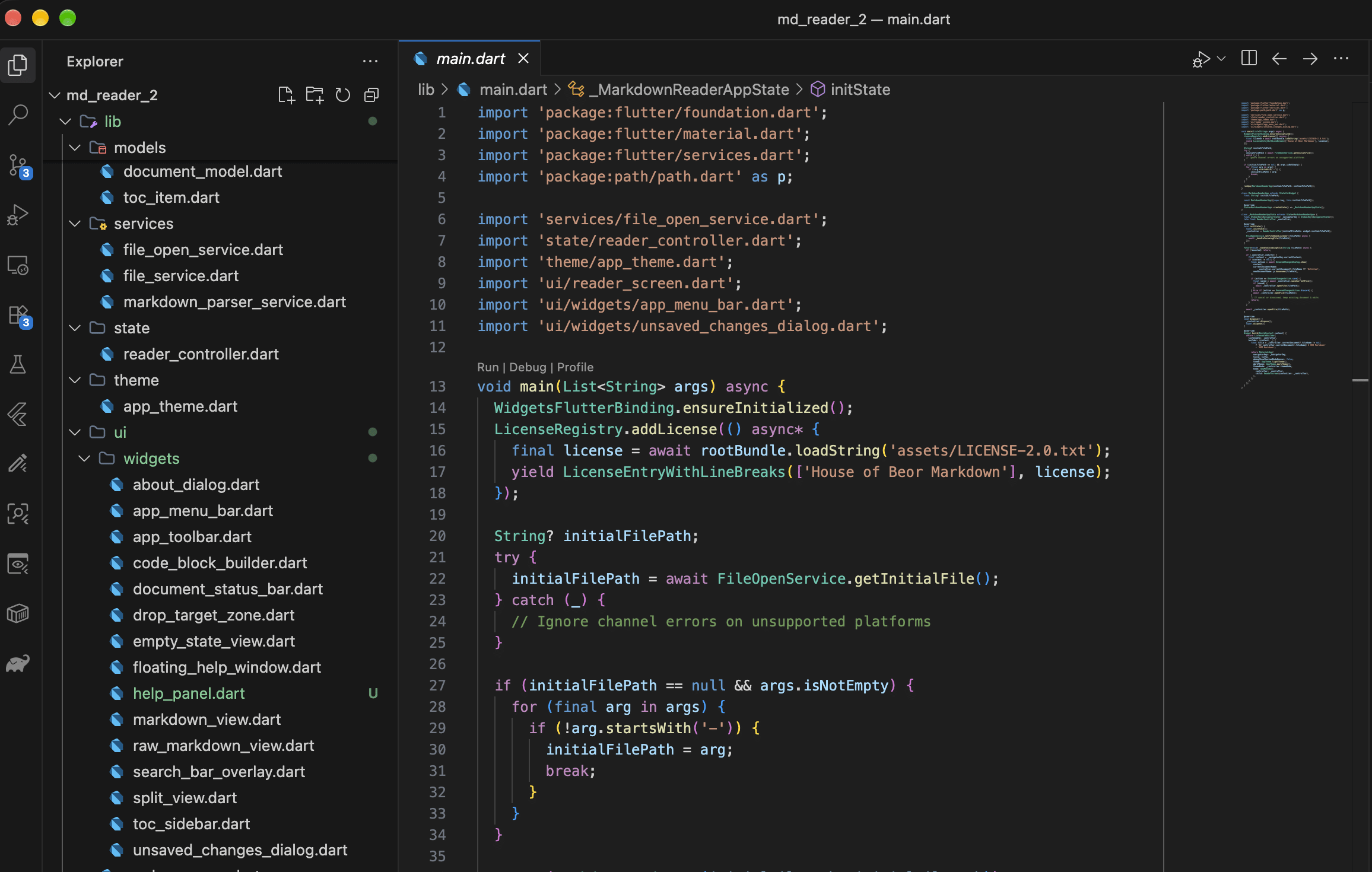
The code that has been generated is a properly structured Flutter app! Amazing! I added all of this code to a new bitbucket repo so you can also see the highlighting of that in the image above. The IDE recognized this as Flutter and installed all the proper plugins for me. Keep in mind that I already had both XCode and the Flutter SDK installed and working on my machine. I can run the app from the IDE or the terminal. Normally I use the terminal. Just go to the root of the project (which you set when creating the project) and type: flutter run -d macos to run the app in debug mode.
From that starter app I did go thru a series of revisions, prompting AG to add or change things as I played with the app. Most of the changes cold be seen immediately using Flutter’s hot reload function. This really made development and interacting with the agent fun and fast.
AG Tokens Run Out? No worries! Hey Claude, help me out!
Generating the first version and a few updates burned thru my token allocation for Antigravity’s free version. That’s ok, I have Anthropic’s Claude for Mac to help me out.This is their desktop all purpose free chat client, which is not really their best tool for software engineering, but it is what I have. My github repo is a public repo, so I can tell Claude to go look at it (the free desktop client can’t look at your local files, but it can look at stuff on github.com) and then start working on some changes to the code.
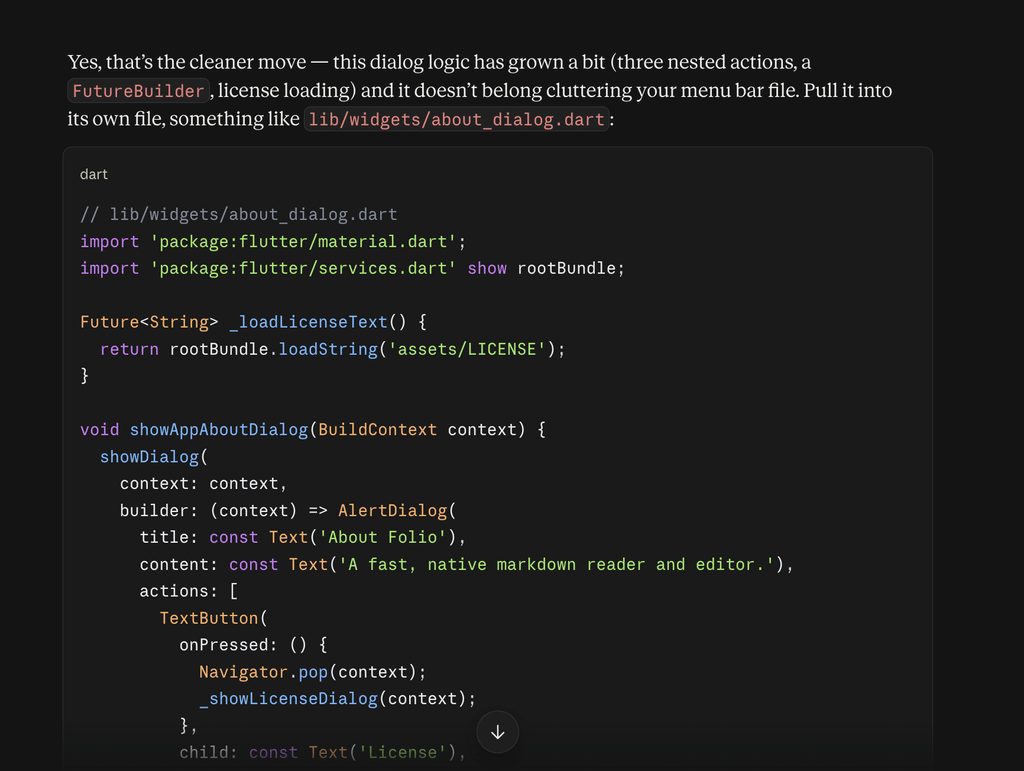
The initial generated application had generic macOS menus and About dialog boxes. I wanted to have a custom menu to show the app’s license agreement, all open-source license agreements, and of course a custom About dialog with my logo. Claude inspects the code on Github and then generates new code that I can then add to the project thru either copy/paste or by downloading entire files and moving them into the project’s structure manually:
Don’t like an Idea? Get Competing Ideas!
I wanted to have a simple help function to show all the markup options in case I forget how to do something – like how to create tables. Antigravity implemented this as a float over, which is not ideal since it floats over the document you are editing.
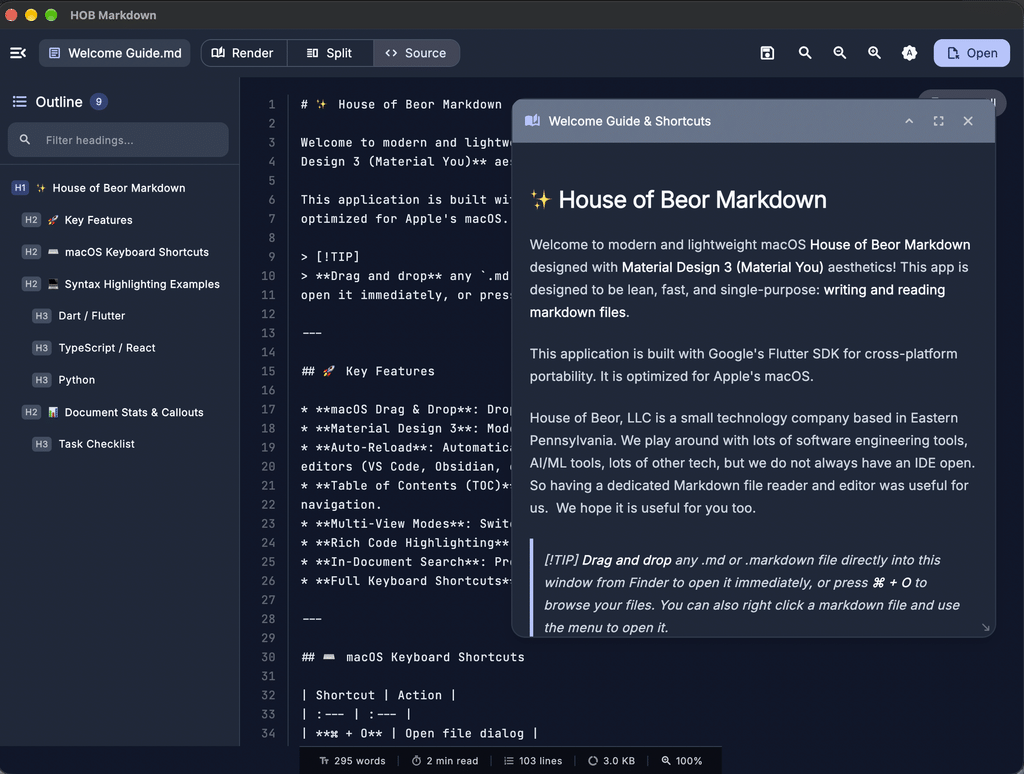
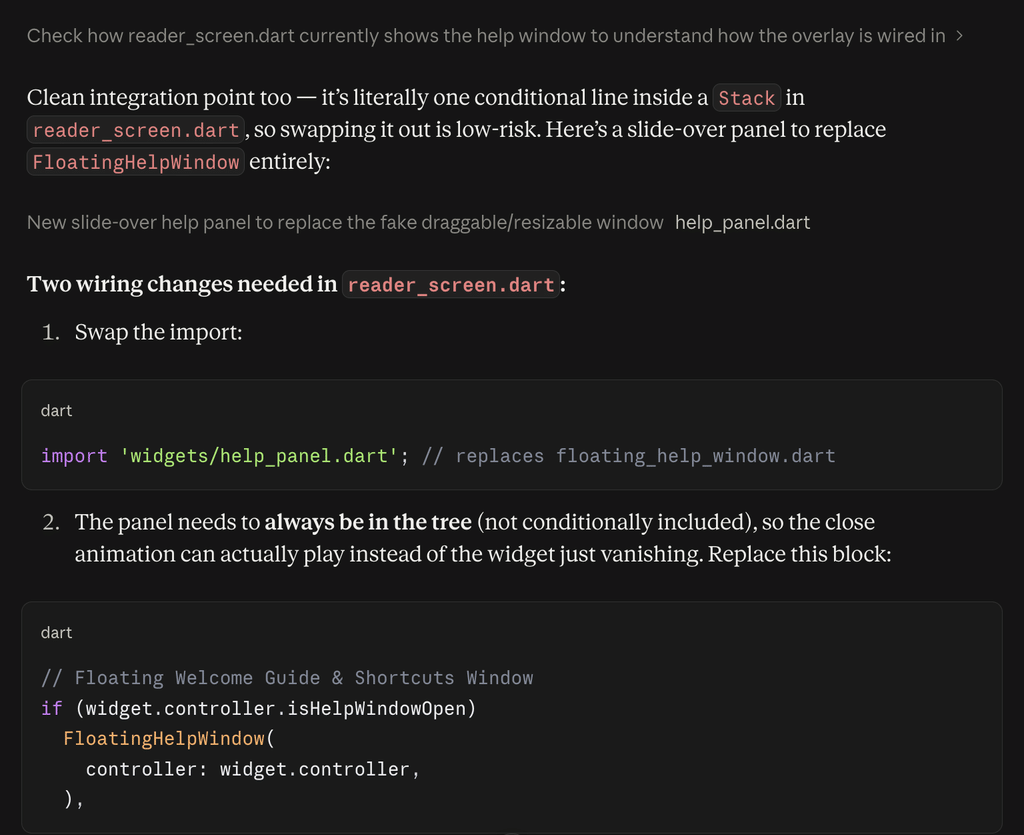
I went thru a few revisions of this concept with AG, but I really hate this approach. I decided to go to Claude and I asked it to look at what AG recommended and come up with a better approach. Taunting it a bit, I specifically said that Antigravity designed it and asked “Can you do better?”. It did! Claude’s recommendation was a slide out drawer approach so that the help content did not overlay on the current document. Claude for Mac cannot modify your local file system, you need Claude Pro for that, but it provided complete instructions for how to integrate the new code. That’s fine for me since I am very familiar with Flutter and the code structure:
The AI Can Fail and Still Need a Human to Intervene
I wanted to add printing support so that I could print a rendered version of a document. I asked AG to add the code, which it did, but it did not work. It would only render a few tags and some mangled content. AG added three packages to the project: printing, pdf, and htmltopdfwidgets. All of those make sense. It created a new printing_services.dart file – that makes sense too. So what’s wrong? Well the critical code in that file is this block:
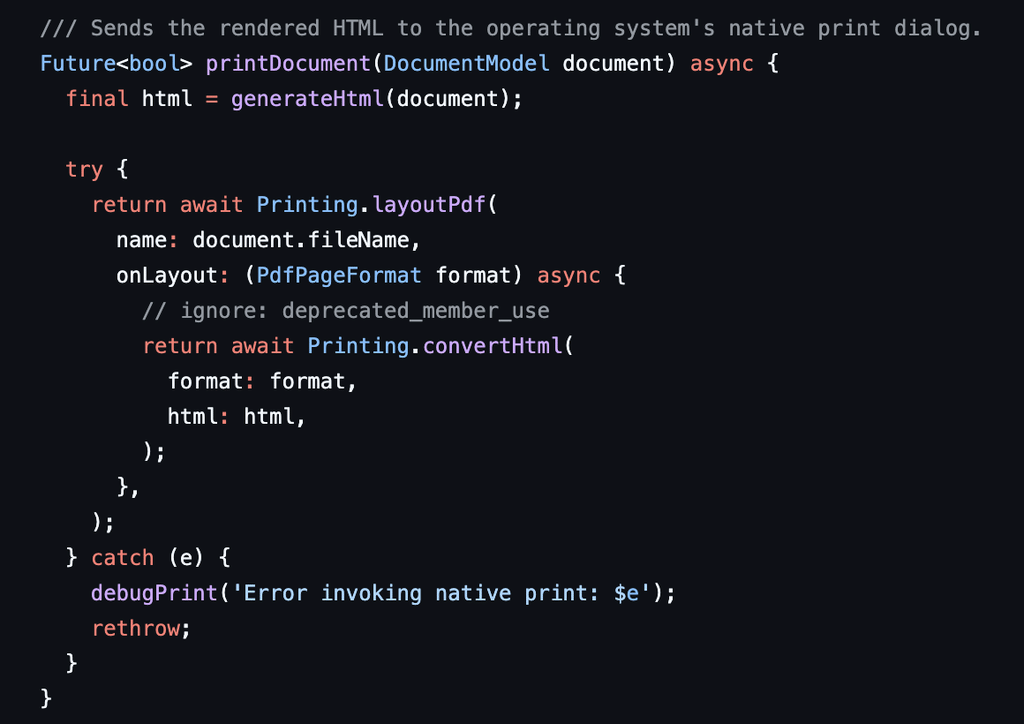
I did some quick checking, adding a simple print(html); and could see that the HTML is correctly structured. You’ll notice that comment there to ignore a deprecation warning. Hmmm…so AG generated this code and added that comment to avoid a linter warning, which I specifically said to not do. So the code looks clean when analyzed, but this specific block is where the problem happens. I checked the printing package documentation to learn how to update the code to remove the deprecation. The fix is to adjust the imports to add some new capabilities and re-work the statements exactly as documented – they have this as an example:
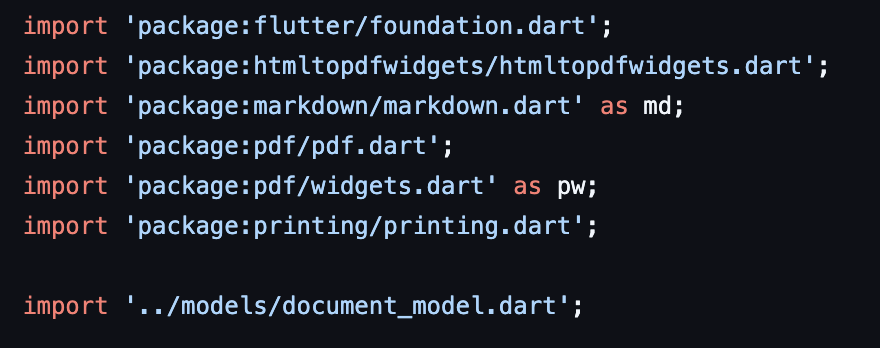
I’ve added the import for pdf/widgets.dart as pw; and then updated the code to this, matching the documentation on-line:
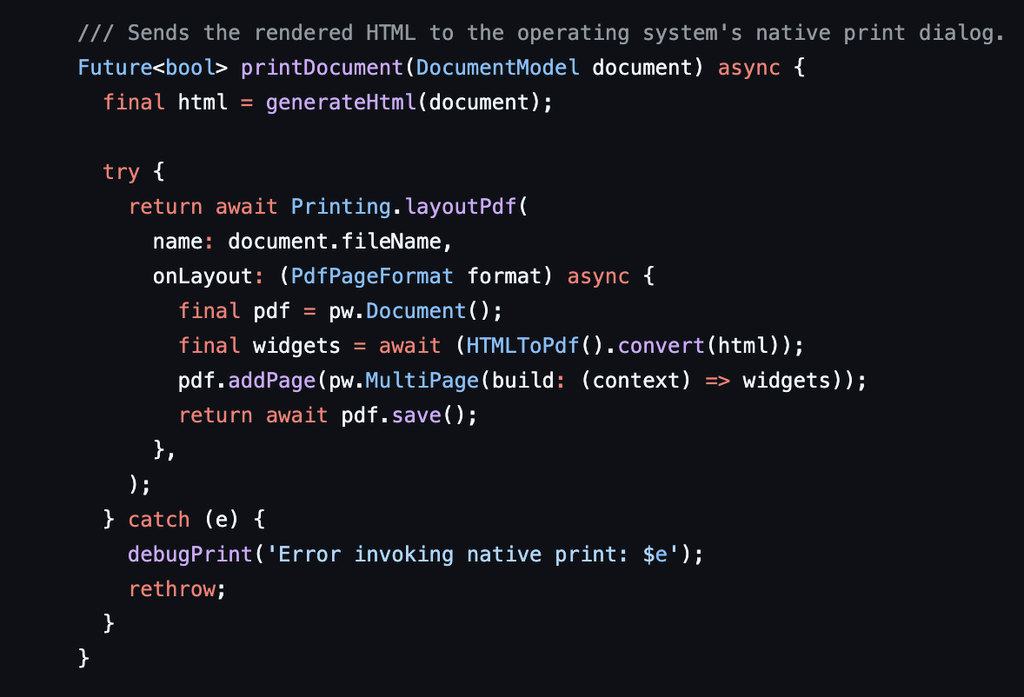
With these changes printing works as expected. What’s the point? You still need a human to debug advanced issues with what is produced by these agents. It is also interesting (concerning?) that it inserted that line to instruct the linter to ignore the deprecation warning. I had specifically told it that I wanted to see all lint issues. Printing still has some issues that I will need to work to resolve. Graphics and special characters for example and special fonts are issues. I believe AG used non-unicode fonts so I’ll have to fix that. I need to work with the pdf package on how to support these, but for the most part printing is working.
Meeting the Non-functional Performance Requirements
“Lean, mean, and fast” is what I wanted. Fortunately Flutter and Dart come with amazing tools for checking the performance of the user experience. I assume this is because at some point it was not so good. The good news for us is that we can use the tools to check out memory consumption. There is an amazing level of detail on the speed of rending the UI and its widgets. It is quite easy to do, simply launch your app from the terminal with this command:
flutter run –profile
It will then prompt you for the platform, based on what you have configured:
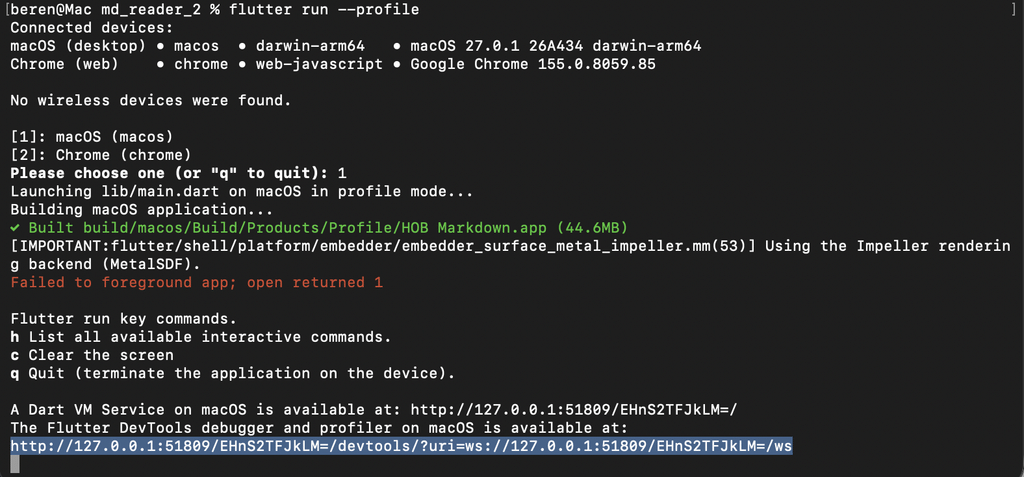
From here you can copy that url and open up the Flutter DevTools and explore various aspects of your application: memory consumption, network bandwidth, overall size, and of course UI performance. I had a requirement for less than 100 msec for any screen rendering. I can see with the tools that I am well under that threshold, but of course still opportunities to improve. Here’s a frame by frame capture that shows a widget with “raster jank” – whatever that is I will have to find out:
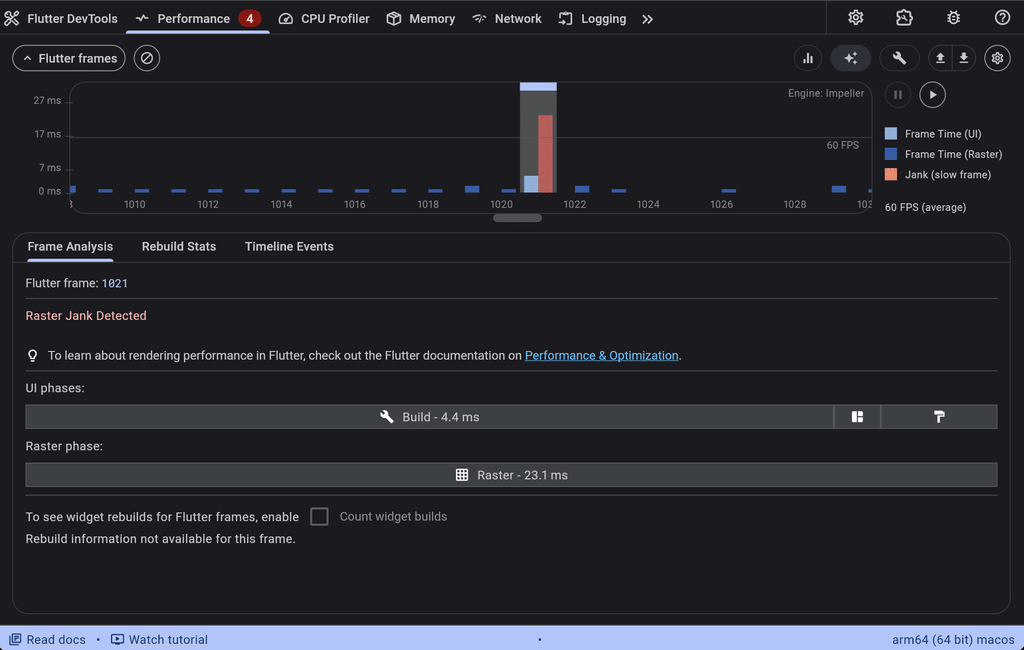
Still well under the 100msec threshold, but I’ll have to look into this just for fun.
How “Real” are AI tools for Software Engineering?
I’ve used a few of these tools at this point. They are definitely useful and when when used in combination can be even more powerful. Much like a mechanic’s toolbox, using these tools in combination not only provides value in different approaches, but can lower the impact on your wallet. All of the above was done for free. That being said, I do have a very good grasp of the code being generated and when problems arise, I can help the agents narrow down the problems and fix things. I can offer suggestions to guide a better approach or a better architecture. Without that experience, things can go sideways just like handing a power saw to someone that has no experience with it – the issues with printing support are a great example of this.
If you try out the app, let me know how you like it. I definitely will be working some more on it to streamline the menus, improve the printing functionality, and keep working on slimming it down and making it fast.
