I’ve had a “big ” beer list on this blog for a long time. It grew over the years and was a huge long series of hard coded HTML entries. 171 beers and a lot of HTML to maintain, plus the load time gets longer and longer as the list gets extended. Finally, I have some time to explore new tools and ways to replace this with a more modern (sic. sensible) approach.
Setting up a Development Environment
WordPress is the software package I use for my blog. In the past I kept a local configuration running on my laptop, but since I have not been doing much development work recently, I don’t currently have this setup. I thought about it and I could install it all. I have PHP installed with Homebrew. Not too difficult to add the rest, but there must be an easier way. I started looking at Docker as an option, yeah sure that would work. Pretty heavy though. Soon I found WordPress.com/Automattic’s WordPress Studio and Local (formerly Flywheel Local).

Studio and Local definitely seemed like the lightest and best solutions. WordPress Studio is pretty new. Reading through its documentation, Studio seems like a good fit for working with blogs hosted on wordpress.com and for simpler things. I’m self hosting on my own provider so that would present some hurdles with WordPress Studio.
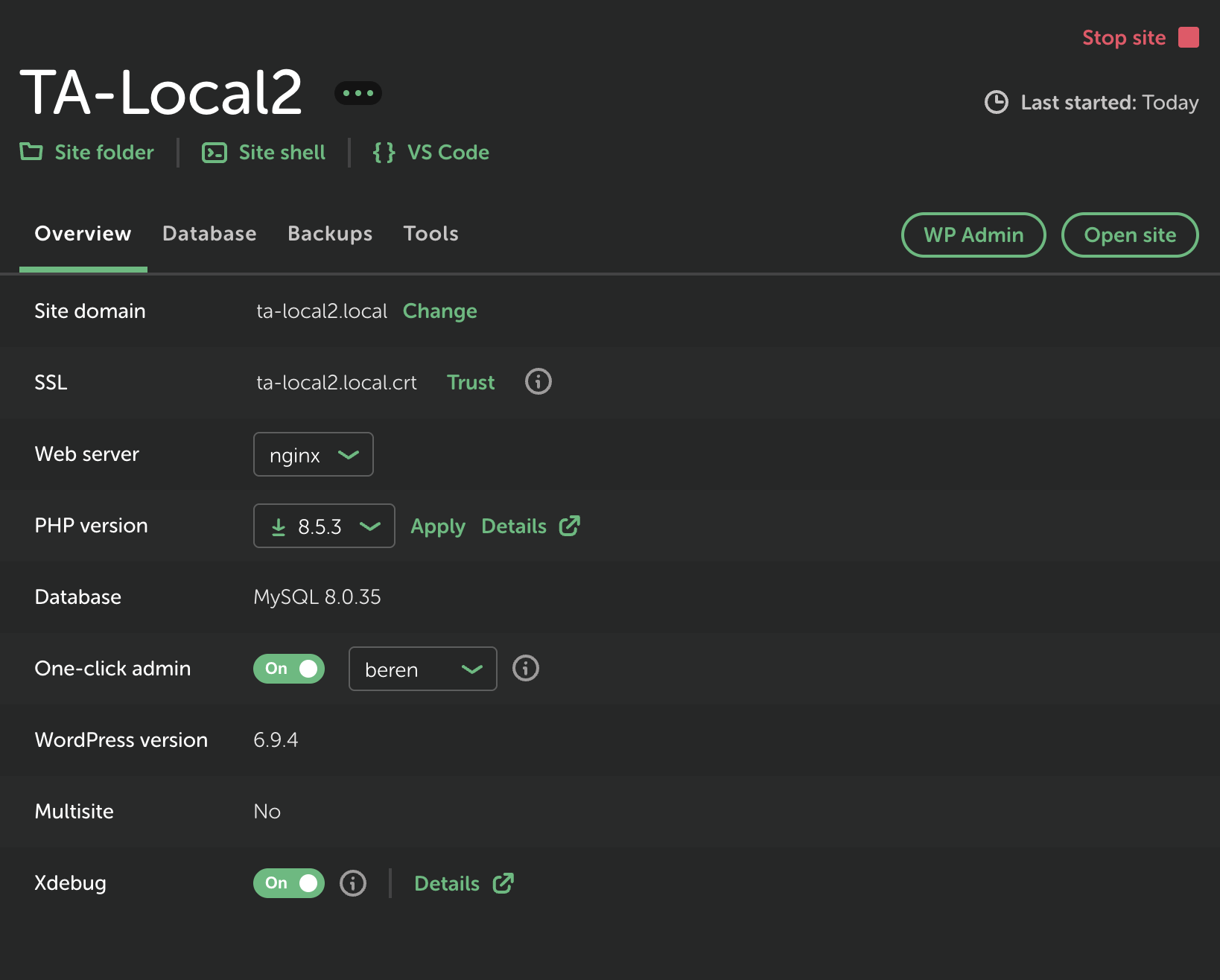
Local has strong macOS support and you do not need to even create an account with them to use it. One really nice feature for my use case is the very detailed configuration options so that I can exactly match the database version, web server, and PHP version my hosting provider uses.
With Local you can have a fully functioning WordPress installation setup in less than 5 minutes that can match your hosting provider very closely, which makes debugging things much easier. Resource consumption is fairly minimal, unlike Docker‘s huge memory/CPU load. Quick links to the folder where things are installed: the admin console, and the site are right there in the GUI. Xdebug can be turned on and off as needed. Starting and stopping the server is just a click. It really cannot get any easier. You can take snapshots (aka Blueprints) to save out an entire configuration, including the database. Amazing!
When I used Local, I decided not to bring down a bunch of data and other configuration stuff from my production blog. I will start clean here because my production blog has been around for a long time. There’s lot of dead stuff I need to prune away. So my next task was to add all the same plugins, themes, etc. and then capture a Blueprint. Pretty simple as I do not use a ton of plugins.
Deciding What to Work On
This all started with changing out my theme on Tarn Aeluin a few weeks ago. I was using Hueman Pro for many years. I just wanted something new, more modern, and also with less CSS/JS weight. So that is when I found Local and made the move to Ultra Blog. Local really made experimentation quick and easy. The seed was planted for renovation, so now I had to re-do www.houseofbeor.net, a static site for my company, House of Beor, LLC. Rather than take that on manually, I decided to use Cursor 3 Desktop. The result is what you see today. Pretty cool!
Some colleagues at work were showing me Anthropic‘s Claude. I was pretty impressed, but what could I do to try it out? I decided to ask it (I’m using Claude’s “free plan” for Mac) about my blog and what I could do to improve it:
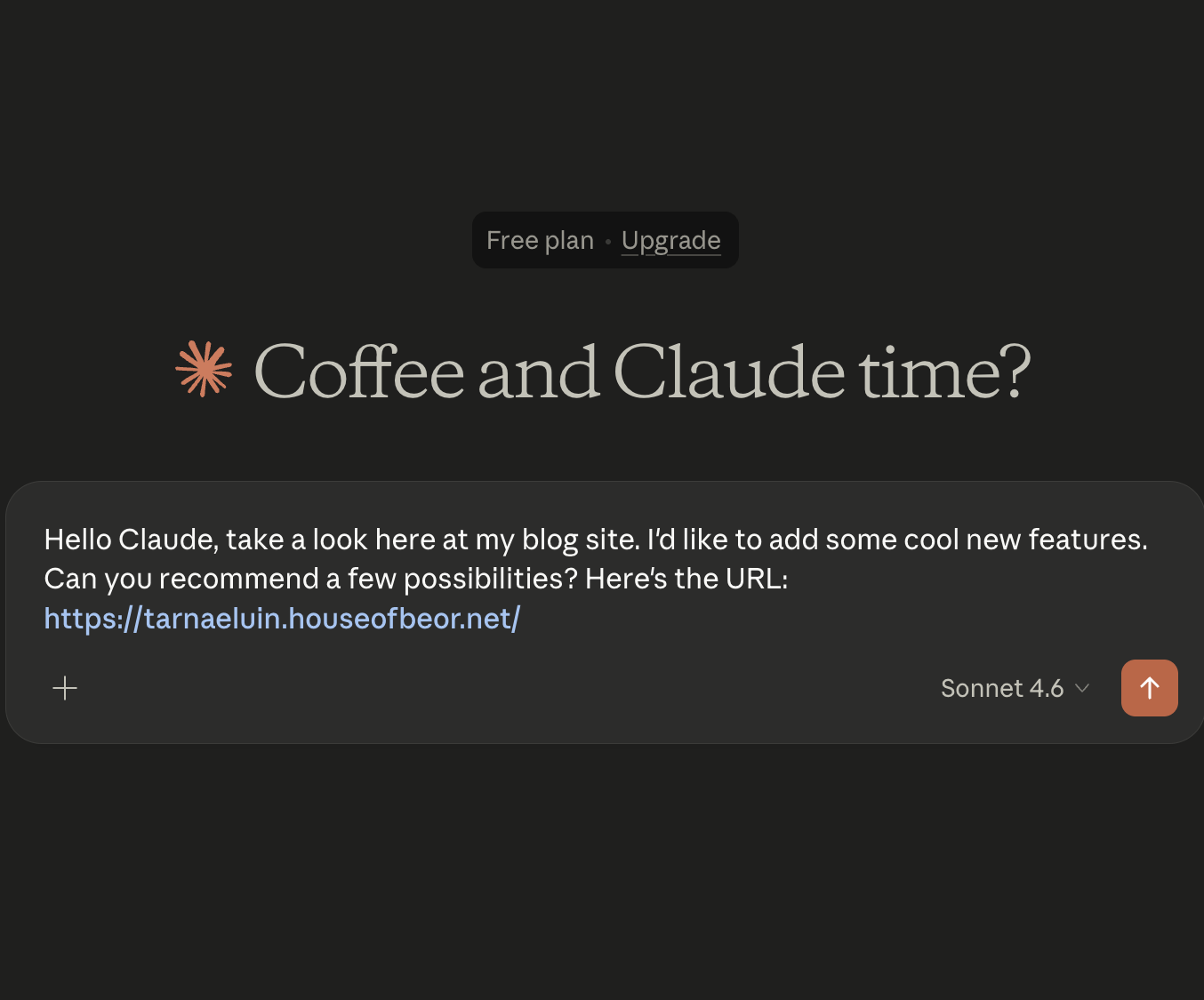
It gave me a bunch of ideas, but top of the list was sprucing up the “Big” Beer list by adding filters, search, etc. Not too bad an idea. So I set it to work creating that. Here’s an initial prototype:
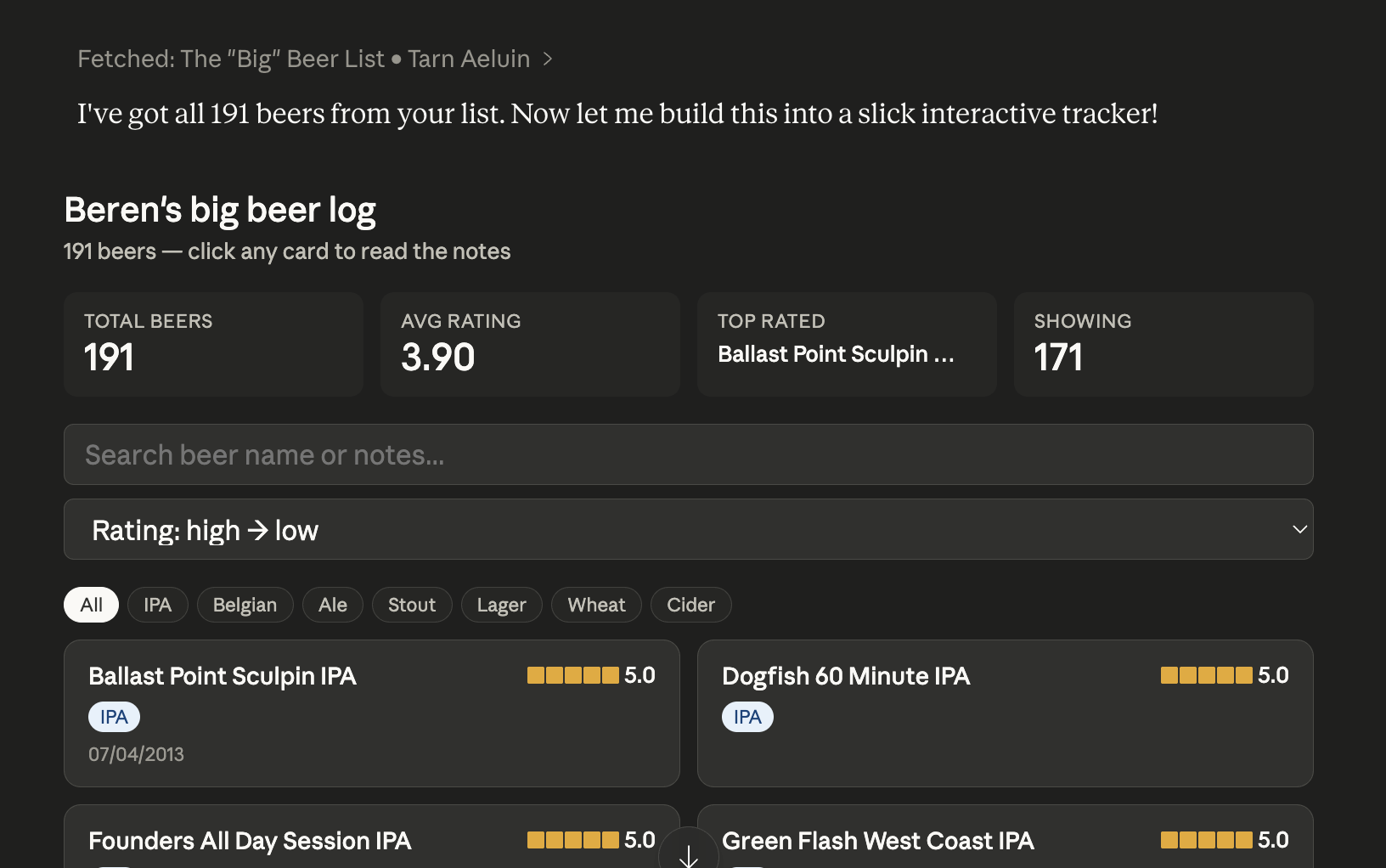
It converted this to HTML/CSS/JS and after a bunch of back and forth dialog about it, I could deploy this to my site by removing all of the beers from that page and then simply add an HTML block with the code (data/HTML/CSS/JS) all in one file. Boom! That’s pretty amazing! From a look and feel that is what you see in the site now.
From Cosmetic to Manageable
Well that’s cool, but still leaves me with manually editing a rather large JS array in that file. That’s not too convenient. One way to improve that would be to split out the data into a separate file, which I asked Claude to do, but that still leaves manual data entry in a text file. I asked Claude about using Firebase as a backend and then modifying the front end to use data from it.
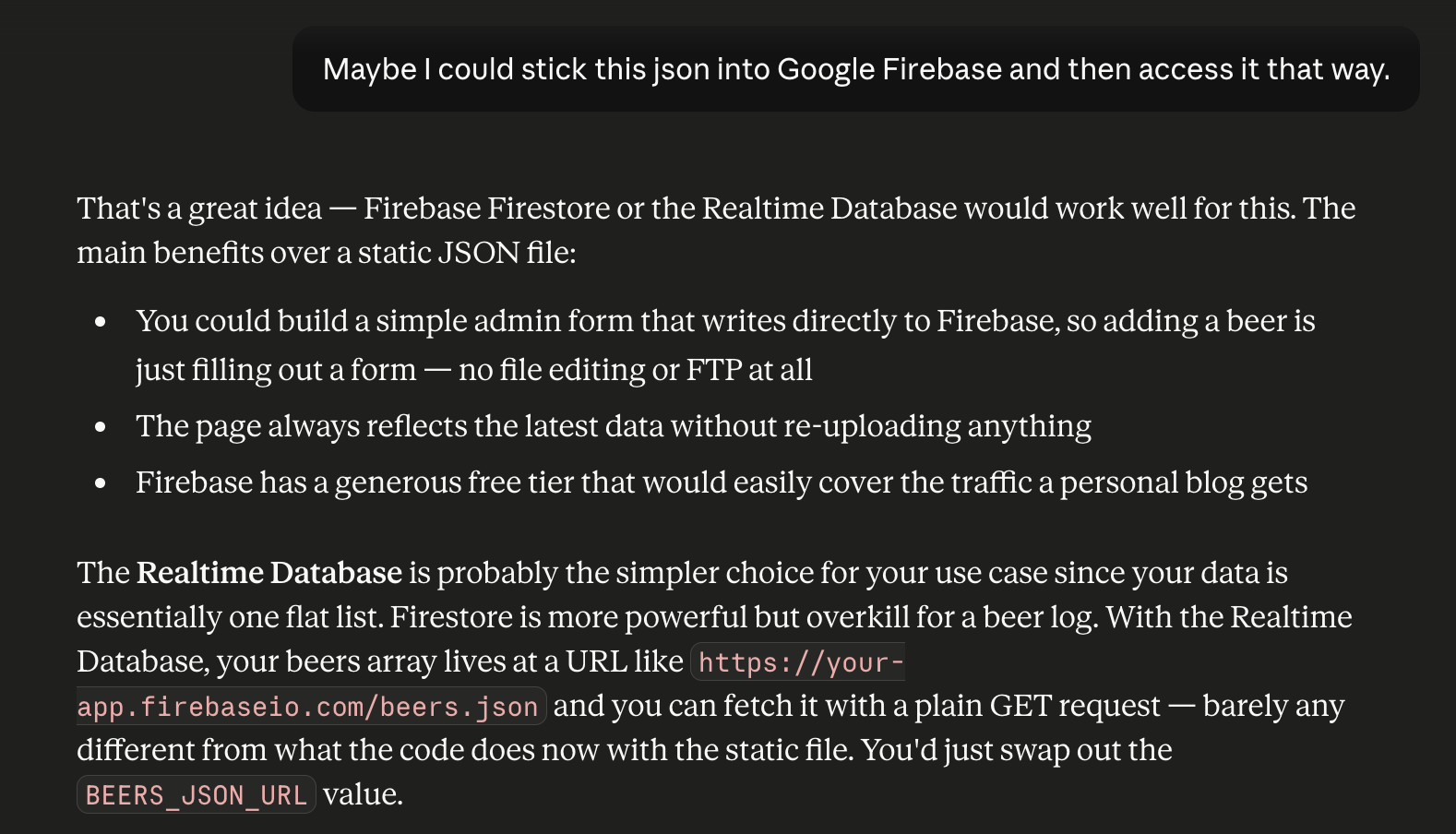
I’m pretty familiar with Google Firebase from all my work with Flutter so setting that up with a new project, app, and API key was easy. I imported the JSON Claude had provided, after wrapping it in an extra “beer” entity so that it would not be added at the root of the Realtime Database. I gave Claude the API key and the project ID and it was able to update all the code to pull the JSON directly from Firebase. So now I had a complete page pulling data dynamically! Amazing!
But that still did not solve my data management issue entirely. Going back to Claude, I asked it to build an admin interface. With the data in Firebase, this admin interface can be hosted (or not) completely outside the WordPress blog. It can even be just an HTML page on my local machine that I can drop into my browser and use. Super secure! Tarn Aeluin just has read access to the Firebase DB, so this is pretty secure.
In terms of an admin interface here’s what Claude produced for me:
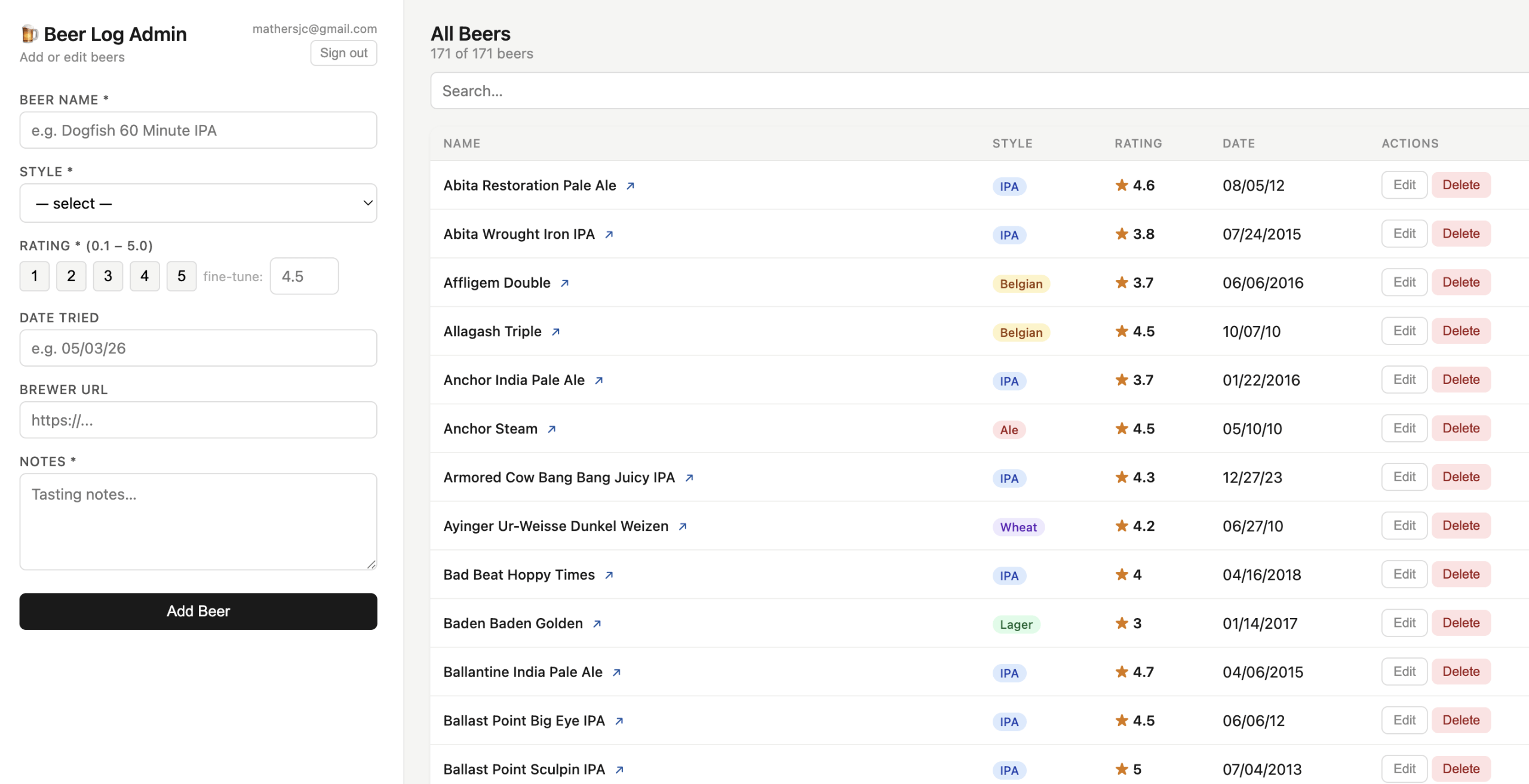
A full crud interface to my Firebase Realtime Database. It even looks nice! Threw in a beer mug icon too – bonus! Wow! I’m still on the free Claude – all in one sitting. Amazing. I can create, edit, and delete database entries. All changes show up automatically on my “big” beer list!
Cleaning this Up and Conclusions
This is really quite amazing, but let’s check thru all the code and make sure this magic is going to be reliable and secure. The code looks good, but let’s again ask Claude:
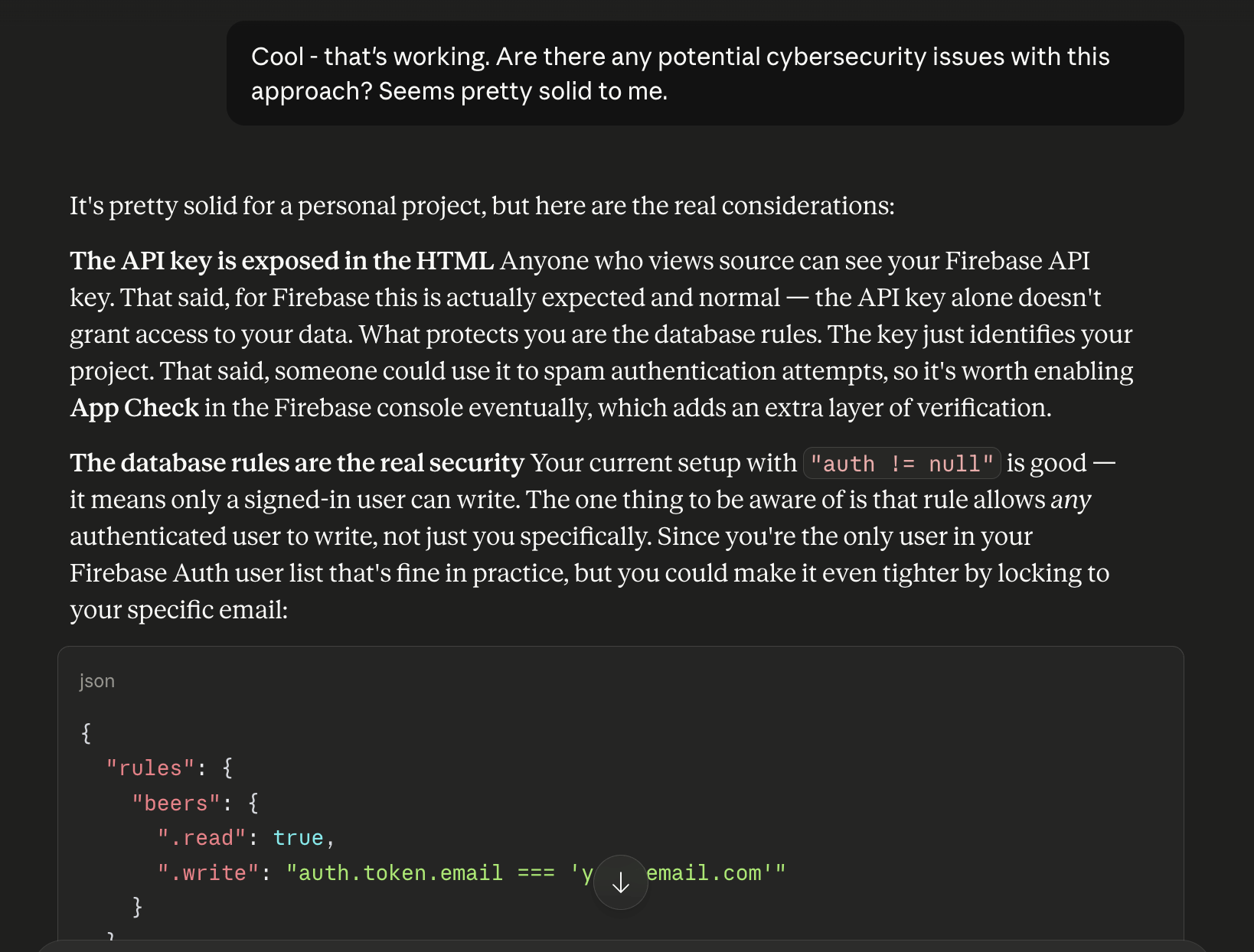
A great response! II’ll be keeping the admin either running locally or just dropping it into Chrome as needed – so the API key will not be exposed at all. I’ll add configurations to the database as above and also add alerting for brute force attacks.
It is truly amazing what these agents can do. I did remove many back and forth steps with Claude on how to proceed. Many of the key architecture and technical recommendations, for example using Firebase, came from me and not Claude. So these code generation agents still require a skilled person to guide them, but the grunt work they can do. Building something like this would have taken me weeks, given my work schedule. Also a key step in using anything produced by them is reviewing all the code and the cybersecurity of what they have produced.
As a final step I did have Gemini in Firebase check over everything and it agreed that this is a solid implementation plan, especially from the cybersecurity perspective. It is a new world for software development. In just 6 hours I’ve gone from idea to getting this done. Amazing. Beyond the speed, what these tools bring is fast iterations. You can start small and thru a conversation build something pretty cool in a rapid series of interactions. Today it was probably 20-25 interactions to build what I wanted.


